

Artwork problems are one of the easiest ways to delay a custom apparel sample. A brand may have a strong design idea, but the file sent to the factory is only a screenshot, a low-resolution PNG, or a logo pulled from social media. It looks fine on a phone, but it is not ready for production.
For custom T-shirts, hoodies, sweatpants, tracksuits, and private label apparel, artwork is not just decoration. It affects printing, embroidery, puff print, DTF, patch production, label making, sample approval, bulk QC, and reorder consistency.
A factory can help adjust files, but the sample becomes much smoother when the brand prepares the right artwork before sampling starts. The goal is simple: make the design clear enough that the factory does not have to guess the size, color, placement, technique, or final effect.
Quick Answer
Before sampling custom apparel, brands should send production-ready artwork files and clear artwork instructions. The most useful files are AI, PDF, EPS, PSD, or high-resolution PNG files, together with print size, placement, color standard, technique, garment style, and front or back position.
A practical artwork package should include at least 10 details: original design file, logo file, print width, print height, print placement, color reference, decoration method, garment style, size range, and approval reference. For complex prints, embroidery, puff print, and full custom drops, brands should also approve a physical strike-off before bulk production.
Why Artwork Files Matter
A design can look good on a screen and still fail in production. The file may be too small. The edges may be blurry. The colors may not be separated. The logo may not have a transparent background. The artwork may not match the final print size. The placement may be described only as “same as photo.”
These small issues can cause real production problems. Screen printing needs clean color separation. Embroidery needs stitch-friendly shapes. Puff print needs artwork that can hold raised texture. DTF needs enough resolution and edge quality. Labels and hang tags need readable files and exact dimensions.
When the factory receives clean artwork, sampling moves faster. When the artwork is unclear, the factory has to rebuild, redraw, resize, or ask the brand for confirmation again.
Factory Note: Artwork approval should happen before the sample is made. Once the sample is printed or embroidered, changing size, placement, or file quality means extra time and cost.
Artwork Data Brands Should Prepare
The best artwork package is not only a logo file. It is a production instruction package. It tells the factory what the artwork is, where it goes, how large it should be, what color it should be, and how it should be made.
| Artwork Data | What to Provide | Why It Matters |
|---|---|---|
| Original Artwork File | AI, PDF, EPS, PSD, or high-resolution PNG | Gives the factory enough quality to prepare production files. |
| Vector Logo | AI, PDF, EPS, or SVG when available | Helps keep logo edges clean when resizing. |
| Artwork Size | Width and height in cm or inches | Prevents the print or embroidery from being too large or too small. |
| Placement | Distance from neck seam, center front, side seam, or hem | Controls final visual balance on different garment sizes. |
| Color Reference | Pantone, lab dip, swatch, or approved sample | Reduces color mismatch between design screen and bulk production. |
| Decoration Method | Screen print, DTF, DTG, embroidery, puff print, patch, appliqué | Different methods need different file preparation. |
| Print Area | Front chest, full back, sleeve, hood, pants leg, pocket | Different garment areas have different size and placement limits. |
| Garment Style | T-shirt, hoodie, sweatshirt, sweatpants, tracksuit | Artwork placement changes with garment construction and fit. |
| Size Range | XS–XXL or custom size range | A design that looks good on M may need checking on larger or smaller sizes. |
| Approval Sample | Print strike-off, embroidery sample, or pre-production sample | Confirms real production effect before bulk work starts. |
| Reorder Record | Approved file, size, placement, color, technique, sample photo | Helps keep future reorders consistent. |
Factory Note: The most common artwork mistake is sending a design without size and placement. A good factory can produce better when the brand gives exact measurements.
File Types: AI, PDF, EPS, PSD, PNG
Different artwork files serve different purposes. Some are good for editing. Some are good for print output. Some are only good for visual reference.
| File Type | Best Use | Risk to Check |
|---|---|---|
| AI | Vector logos, editable artwork, print preparation | Fonts should be outlined or included. |
| Production layout, vector artwork, tech pack reference | Make sure the PDF is not only a flattened low-quality image. | |
| EPS | Vector logo and print production file | Check whether colors and shapes are preserved correctly. |
| PSD | Layered artwork, raster design, photo-based graphics | Needs high resolution and proper layer organization. |
| PNG | Simple visual reference or high-resolution transparent artwork | Low-resolution PNG files often become blurry when enlarged. |
| JPG | Visual reference only | Usually not ideal for production because of compression and no transparency. |
A factory may still be able to work from a PNG or JPG, but the result depends on the artwork quality. If the design needs sharp lines, exact colors, embroidery conversion, or screen print separation, vector files are usually safer.
Vector Artwork and Logo Quality
Vector artwork is useful because it can be resized without losing clean edges. This matters for logos, chest prints, back prints, sleeve graphics, labels, patches, and embroidery conversion.
If a logo is only available as a small image, it may look okay on a phone but become blurry when printed at 30 cm wide. Thin lines may disappear. Small text may become unreadable. Distressed effects may lose detail or become too heavy.
Check whether the logo can be enlarged clearly. If it becomes blurry, pixelated, or jagged, ask your designer for an AI, PDF, EPS, or other vector file before sampling.
Print Size and Placement
Artwork size and placement should be confirmed before sampling. “Make it like the reference photo” is not enough for production because the reference garment may have a different size, fit, fabric, or camera angle.
The factory needs real measurements. For example, the print may be 28 cm wide on the front chest, 35 cm wide on the back, 8 cm wide on the sleeve, or centered 7 cm below the neckline. These details should be written down.
| Placement Area | What to Confirm |
|---|---|
| Front Chest | Width, height, center point, distance from neckline. |
| Full Front | Maximum print area, artwork size, distance from side seams and hem. |
| Back Print | Width, height, top position, center alignment. |
| Sleeve Print | Left or right sleeve, print direction, distance from shoulder or cuff. |
| Hood Print | Flat placement, seam position, print distortion risk. |
| Pants Leg | Left or right leg, vertical position, front or side placement. |
For oversized garments, placement needs extra attention. A print that looks balanced on a regular T-shirt may look too high, too low, or too small on an oversized silhouette.
Color Standards and Pantone References
Artwork color on a screen is not a reliable production standard. A color can look different on a phone, laptop, design software, office light, or factory light. For custom apparel, the safest way is to provide a physical or numeric color reference.
For screen printing, Pantone references are often useful. For fabric dyeing, lab dips and bulk fabric swatches are more important. For DTF or digital prints, the brand should still approve a physical sample because the printed result can change depending on film, ink, heat press, fabric surface, and color management.
Factory Note: Do not approve color only from a phone screenshot. For serious production, approve a print strike-off, fabric swatch, or physical sample.
Screen Printing Artwork
Screen printing needs clean artwork because each color may require setup and separation. Simple logos, solid colors, bold graphics, and repeat orders often work well with screen printing.
For screen print, the factory needs to know the number of colors, print size, print placement, ink type, fabric color, and whether the print should feel soft, thick, vintage, glossy, matte, water-based, plastisol, puff, or high-density.
| Screen Print Detail | What to Check |
|---|---|
| Color Count | How many print colors are in the artwork. |
| Line Thickness | Very thin lines may not print clearly. |
| Distressed Effect | Distress texture should not become too dirty or too light. |
| Ink Type | Water-based, plastisol, puff, high-density, silicone, or rubber print. |
| Fabric Surface | Smooth jersey, brushed fleece, washed fabric, rib, or textured fabric. |
| Wash Durability | Check cracking, peeling, fading, or hand-feel change after wash. |
DTF and Heat Transfer Artwork
DTF can be useful for multi-color artwork, gradients, small quantity testing, or designs that are not easy to separate for screen printing. But DTF still needs proper artwork preparation.
The brand should check file resolution, transparent background, edge quality, color accuracy, print size, placement, heat press result, and hand feel. A DTF print can look bright, but it may not suit every premium cotton garment if the brand wants a very soft surface.
Factory Note: DTF is not only about whether the graphic can be printed. Brands should also check whether the print hand feel matches the product level.
Embroidery Artwork
Embroidery artwork needs a different mindset from printing. A printed design can hold many small details, gradients, and textures. Embroidery uses thread, stitch direction, density, backing, and machine limitations.
Small letters, thin lines, complex shading, and tiny distressed effects may not translate well into embroidery. The factory may need to simplify the artwork, increase line thickness, adjust stitch density, or change the size.
| Embroidery Detail | What to Confirm |
|---|---|
| Logo Size | Small logos may lose detail if the artwork is too complex. |
| Thread Color | Approve thread card or physical embroidery sample. |
| Stitch Density | Too much density can make fabric pucker. |
| Fabric Weight | Light fabric may not support heavy embroidery well. |
| Backing | Needed for stability and clean embroidery result. |
| Placement | Chest, sleeve, hood, pants, patch, or label position. |
Puff Print and High-Density Print Artwork
Puff print and high-density print can give a stronger streetwear effect, but they need suitable artwork. Very thin lines, tiny letters, and overly detailed graphics may not hold the raised effect well.
The brand should approve the puff height, edge sharpness, print size, ink color, curing result, fabric compatibility, and wash durability. The same artwork may need adjustment before it works well as puff print.
Approve a physical strike-off. A flat digital artwork cannot fully show puff height, edge shape, surface texture, or hand feel.
Strike-Off and Sample Approval
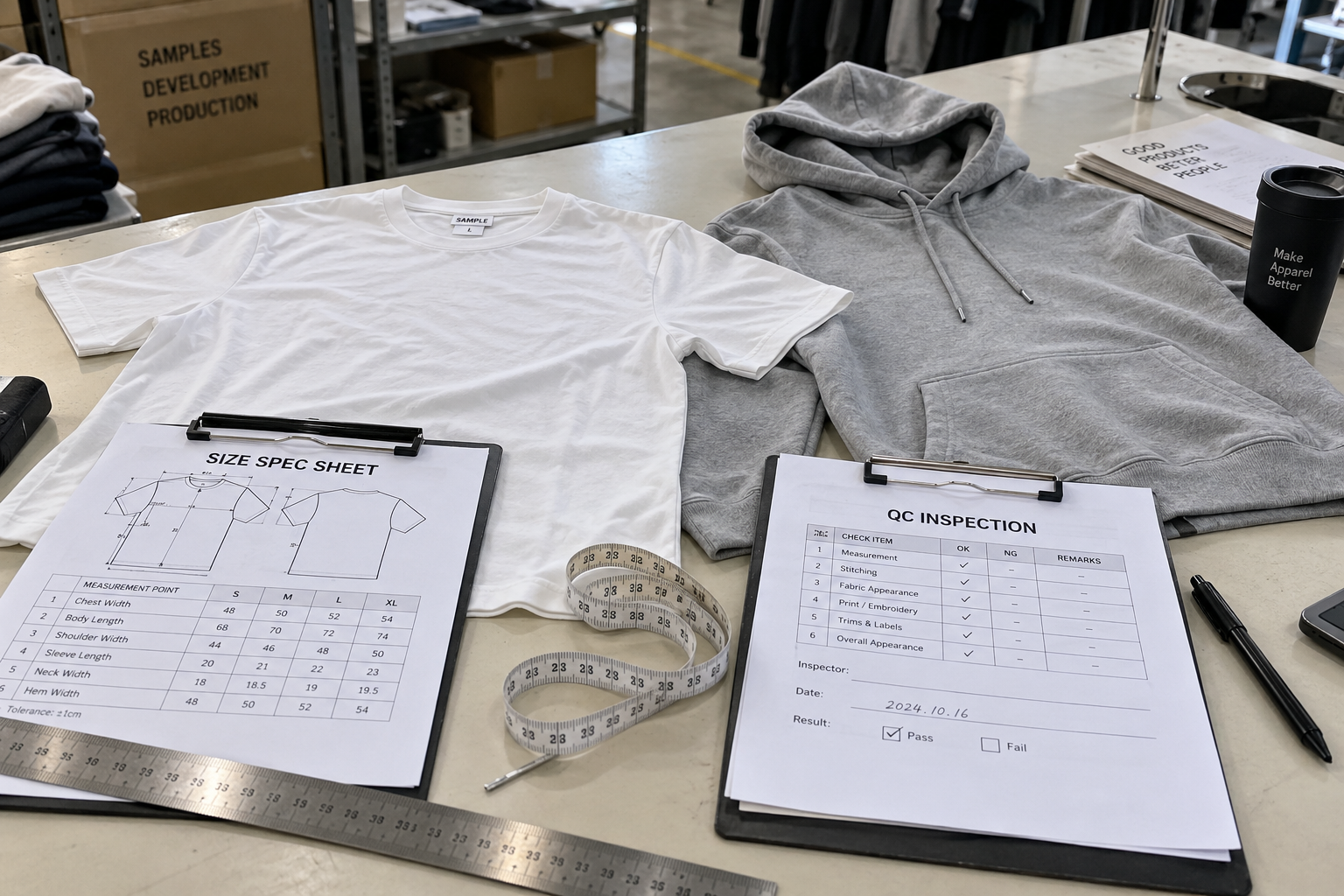
A strike-off is a small production test before bulk decoration. It helps confirm the real effect of printing, embroidery, puff print, patch, or other decoration.
For many custom apparel orders, the strike-off is where the brand can check whether the artwork size, color, placement, texture, hand feel, and technique match the design intention. It is better to fix issues at this stage than after 100, 300, or 1,000 garments are already printed.
| Approval Point | What to Check |
|---|---|
| Artwork Size | Width, height, and visual balance on the garment. |
| Placement | Centering, distance from seams, front/back/sleeve position. |
| Color | Pantone, ink color, thread color, or printed color result. |
| Texture | Soft print, thick print, puff height, embroidery surface, patch edge. |
| Durability | Wash test, stretch test, peeling, cracking, puckering. |
| Bulk Reference | Keep one approved strike-off for final QC and reorders. |
Bulk QC and Reorder Artwork Records
Artwork control does not end after the first sample. Bulk production needs the same approved standard. The factory should check print placement, print color, embroidery density, patch position, label artwork, and packing before shipment.
AQL inspection can be used to check sampled goods before shipment, but it should not replace clear artwork approval. If the artwork standard is unclear, final QC becomes subjective.
| Record to Save | Why It Helps Reorders |
|---|---|
| Final artwork file | Prevents using the wrong version in the next order. |
| Print size and placement | Helps repeat the same visual balance. |
| Pantone or color reference | Helps repeat print or thread color. |
| Approved strike-off | Shows the real production effect. |
| Embroidery file and thread reference | Helps repeat stitch density and color. |
| Bulk QC notes | Records what should be watched next time. |
UNIT-100 can help review artwork files, print size, placement, color, screen printing, DTF, embroidery, puff print, labels, strike-offs, sample approval, and bulk QC before production starts.
Talk to UNIT-100Brand Checklist Before Sending Artwork
Before sending artwork to a factory, check whether the file is ready for production or only good for visual reference.
- Prepare AI, PDF, EPS, PSD, or high-resolution PNG files where possible.
- Send vector artwork for logos, labels, and clean line graphics.
- Outline fonts or include font files where needed.
- Confirm print width and height in cm or inches.
- Mark the placement: front, back, sleeve, hood, pants leg, pocket, or label.
- Provide Pantone, thread color, or physical color reference.
- Choose decoration method: screen print, DTF, DTG, embroidery, puff print, patch, or appliqué.
- Check whether thin lines, tiny letters, and gradients are suitable for the chosen method.
- Approve a strike-off before bulk decoration.
- Keep the final artwork file, sample, and QC notes for reorders.
Best Practice: Do not send only a screenshot and ask the factory to “make it the same.” Send the original artwork file, size, placement, color, and technique requirement.
Frequently Asked Questions
What is the best file format for custom apparel artwork?
AI, PDF, and EPS are usually best for vector logos and clean graphics. PSD can work for layered image-based artwork. High-resolution PNG may work for some digital printing, but low-resolution screenshots are not ideal for production.
Can I send a PNG logo to the factory?
You can send a PNG for early discussion, but it may not be enough for production if the resolution is low or the edges are blurry. For accurate printing, embroidery, and resizing, vector artwork is safer.
Why does the factory ask for print size?
The factory needs print size because the same artwork can look very different at different widths and heights. Size also affects cost, placement, print method, embroidery density, and bulk QC.
Do I need Pantone colors?
Pantone colors are helpful for screen printing and color communication, but physical samples and strike-offs are still important because fabric, ink, lighting, and printing method can affect the final result.
Should I approve a strike-off before bulk production?
Yes. A strike-off helps confirm the real production result before bulk printing or embroidery starts. It is especially useful for screen printing, puff print, embroidery, patches, and important brand graphics.
Sources and References
Conclusion
Artwork files are not just design files. They are production instructions. A good artwork package helps the factory control print size, placement, color, technique, texture, sample approval, and bulk consistency.
The safest way is to prepare clean files before sampling starts. Send vector artwork when possible, confirm size and placement, provide color references, choose the decoration method, approve a strike-off, and keep the final artwork record for future reorders.
If your brand is preparing artwork for custom T-shirts, hoodies, sweatpants, tracksuits, embroidery, screen printing, DTF, puff print, or private label production, UNIT-100 can help review your artwork files and production details before sampling begins.
Related Articles
Good artwork makes sampling easier.
Talk with UNIT-100 about artwork files, print size, placement, color, screen printing, DTF, embroidery, puff print, strike-offs, and custom apparel production.
Review Your Artwork Files


 You Can Find Us Here